What does it do?
The Reminder serivce allows your to schedule sending emails on a set date, a good example use is sending out Warrant of Fitness (WoF) reminders to customers.
As a mechanic workshop complets a WoF for a customer they can easily use this system to send them a reminder in 12 months to renew that WoF, once they have created this reminder the customer details are saved and they can be re-used for the next time they create a reminder.
The WoF template includes fields for the Customers name, the vehicle brand type and registration, so when they use this customer to create another reminder these fields will be pre-populated.
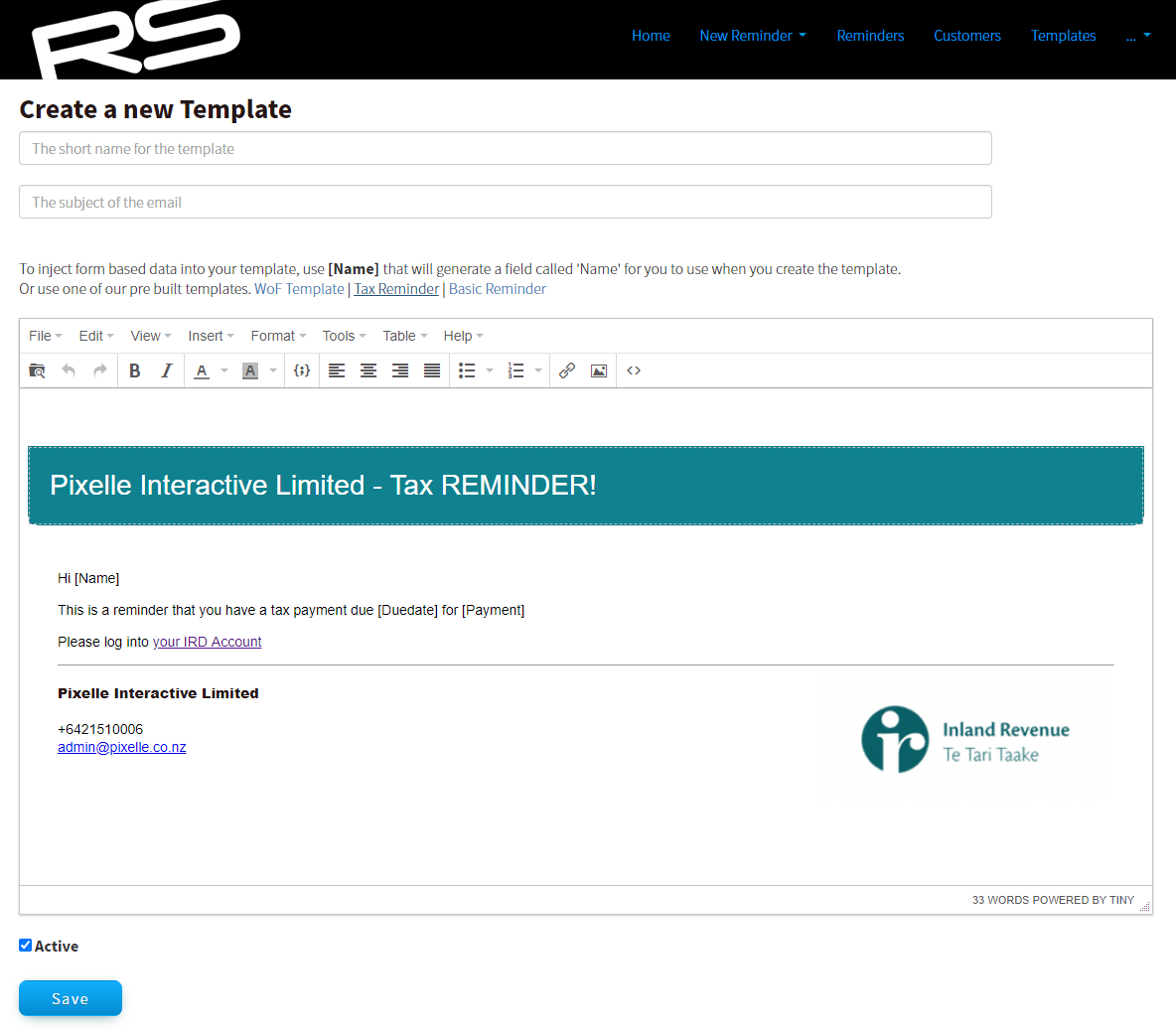
Step 1 - Create Template
Templates can be created to meet your email requirements, the form fields are dynamic and user controlled giving you full control of your reminders.
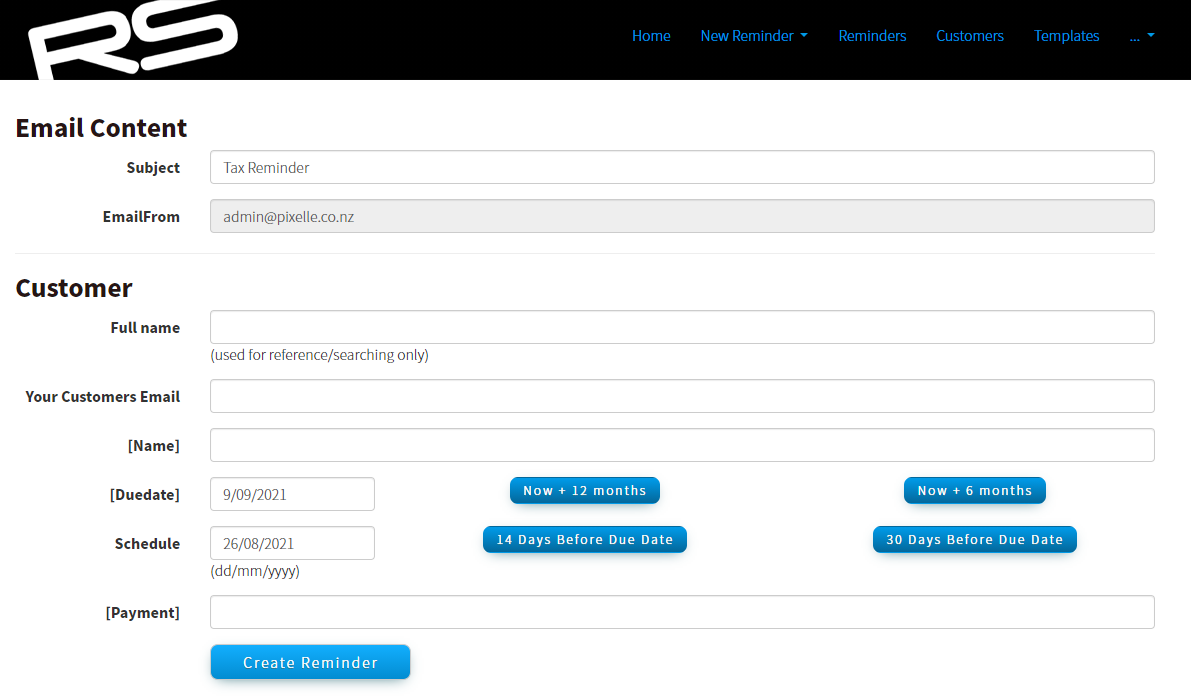
Step 2 - Create and Schedule Email
Creating the reminder is a quick and easy process which prompts you to enter the fields setup in your template and creates the email and schedules it to be sent depending on your selections.
Step 3 - Wait for the schedule
Once your reminder email has been created it will sit in the system awaiting its scheduled date to be sent.
When you create a reminder the customers details will be recorded, allowing you to easily send another similar reminder with details pre-populated into the form fields for your convenience.
You can create reminders from an existing customers, or you can create a new customer by creating a new reminder for them.
The reminder service includes the capability for customers to unsubscribe at any time, this is required as part of the
Unsolicited Electronic Messages Act 2007.